Claude Code for Enterprise Teams

Claude Code is an AI agent that works in a terminal or editor, reading files and running commands to complete tasks. For a team, the tool is the easy part. The work is deciding five things before rollout: what it may touch, who sets those limits, which provider processes your data and what is kept, how usage and cost are monitored, and what shared instructions every session starts with.
Each has a documented control. Start with one team on low-risk work, set the rules centrally in the second month, and widen only when you can see what it is doing.
The lawyers got there too
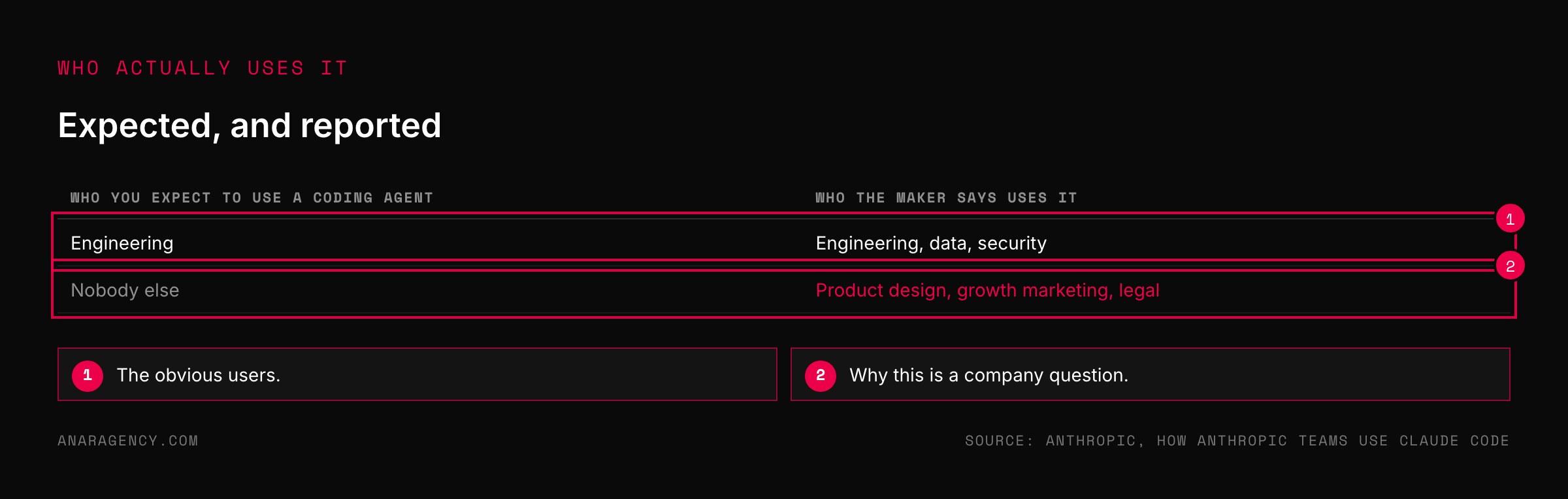
When a company builds a tool for programmers, you expect programmers to use it. In 2025 the company behind Claude Code published an account of how its own staff were using it.
The list went well beyond engineering. Teams in data, security, product design, growth marketing, and legal all described real work they did with it.
People who had never written software were using a coding agent to build small tools and automate their own chores.
That is what makes this an enterprise question and not an engineering one. A tool that reads files and runs commands will be picked up by anyone with files and repetitive work.
It will spread whether or not anyone has decided how it should be used. The decision is only whether the rules arrive before the usage or after.
Why a coding agent is different from a chatbot
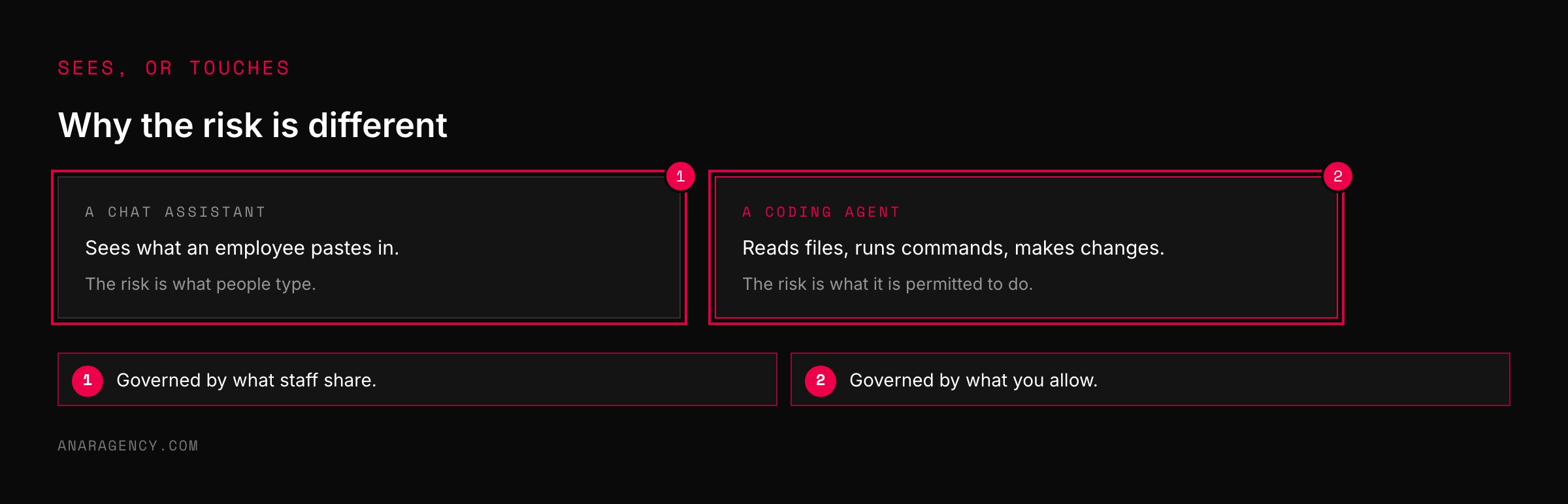
A chat assistant sees what you paste into it. A coding agent sees what is on the machine.
It can open files, search a codebase, run programs, and make changes. That is the whole point, and it is why the questions are different.
With a chatbot, the risk is what an employee types. With an agent, the risk is what the agent is permitted to do.
The product is built with this in mind. Its security documentation describes a permission-based design in which the agent asks before actions that modify things, and the user or an administrator decides what is allowed.
So the first job in any rollout is not training people on prompts. It is setting what the tool may and may not touch. The general idea is old and sound: give any actor the least privilege it needs to do the job.
Five questions before a team rollout of a coding agent. What can it touch: set allow, ask, and deny rules, starting with the deny list. Who sets the rules: use centrally managed settings.
Where does the data go: know the provider, retention, and training terms. Can we see what it did: export usage and cost by group. What does it know about us: shared instructions and written procedures.
Start with one team on read-mostly work with approval on, centralize in month two, and name one owner.
The Harness Audit
We call the pre-rollout check a Harness Audit. It is five questions, and each has a page in the product's documentation.
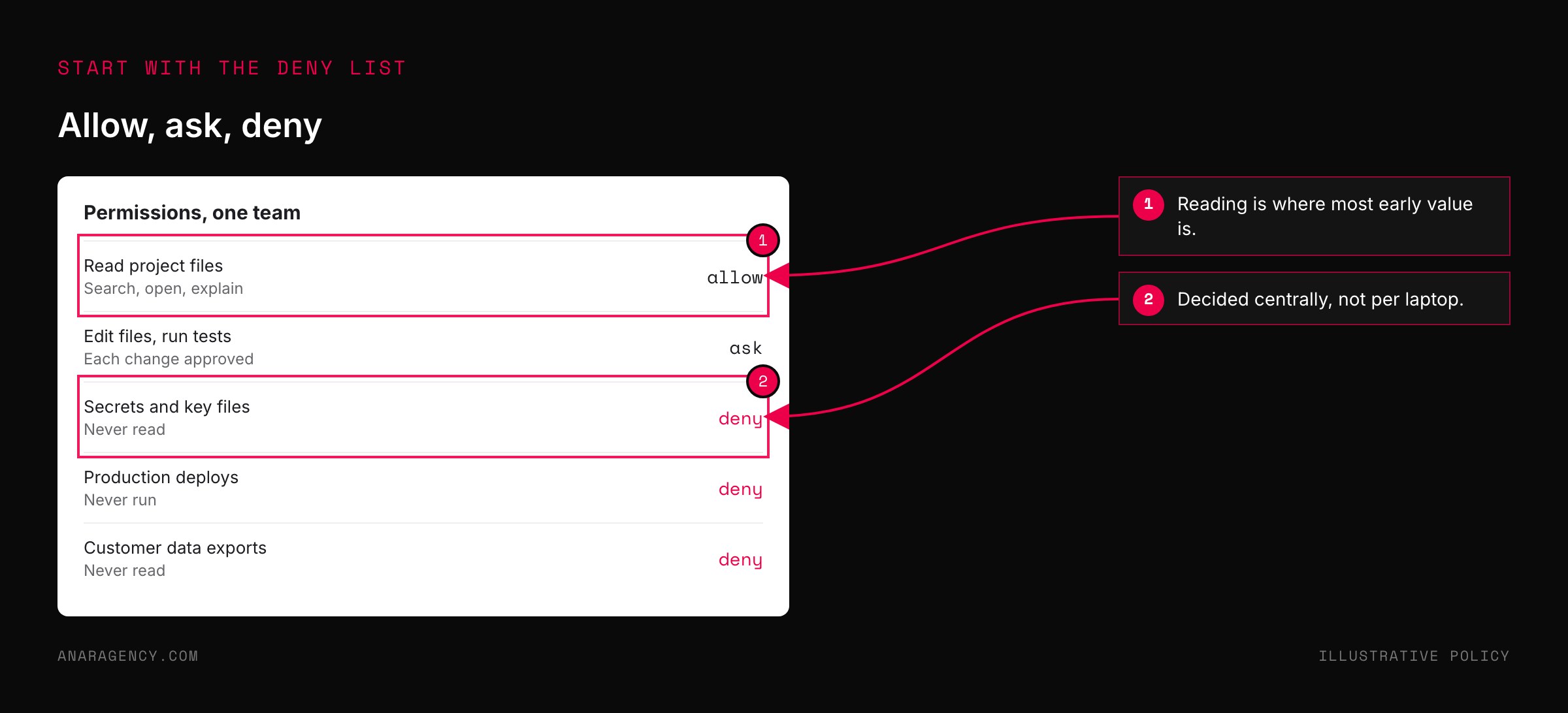
What can it touch? Permission rules can allow, ask about, or deny specific tools, commands, and paths. Decide the deny list first: secrets, production systems, customer data.
Who sets the rules? Settings exist at several levels, including managed settings an organization can apply that individuals cannot override. If every laptop is configured by its owner, you do not have a policy.
Where does the data go? The data usage documentation sets out what is retained and how training use differs by plan. Some firms route the tool through a cloud provider they already have agreements with, which the integrations documentation covers.
Can we see what it did? Monitoring can export usage and cost data to the tools a company already uses for observing its systems.
What does it know about us? Shared instruction files and written procedures give every session the same starting knowledge. This is the part that decides the quality of the output, and we describe ours in source-of-truth skills.
Read those pages yourself before relying on any summary, including this one. Products change faster than articles.
Slow Starters: how a rollout goes well
The teams that get lasting value were slower in the first month than the teams that did not. We call them Slow Starters.
They begin with one team and low-risk work. Explaining an unfamiliar codebase. Writing tests.
Drafting documents. Tasks where the agent mostly reads.
They keep "ask first" on. At the start, every change is approved by a person. It is slower.
It is also how people learn what the tool tends to get wrong.
They write down what goes wrong. Every surprise becomes a line in the shared instructions or a deny rule. After a month there is a real policy, built from evidence.
They centralize in the second month. Managed settings, a shared instruction file, a first handful of procedures. Now the second team starts where the first one finished.
They report cost by group. Usage is billed by consumption, so a single figure for the company tells you nothing. See controlling AI token spend.
They keep the exit open. Procedures and instructions are plain files that the company owns. If a better tool arrives, the knowledge moves with you, which is the argument of a model-agnostic strategy.
"Our people are already using it"
You may be reading this after the fact. Someone installed it months ago and it has spread. That is the normal case.
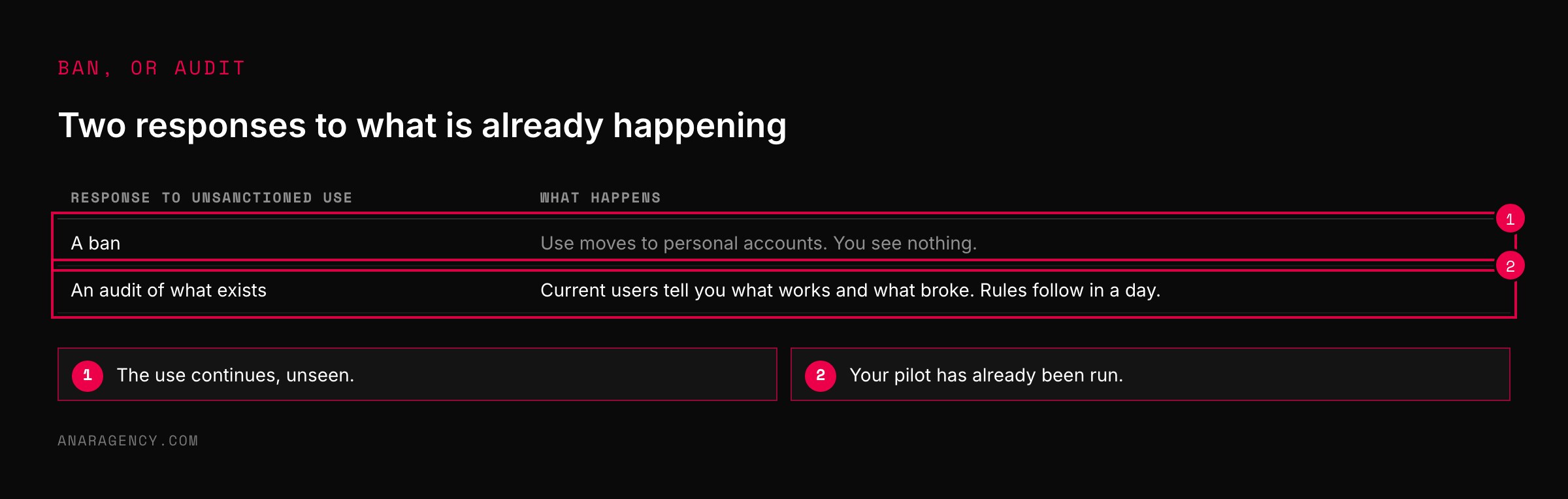
Do not respond with a ban. Bans push usage onto personal accounts where you can see nothing, a pattern we describe in shadow AI.
Run the audit on what exists. Ask the people already using it what they use it for and what it has got wrong. They have done your pilot for you.
Then set the two things that matter most: the deny list and where the data goes. Those can be done in a day.
And be honest about what the controls do. Permission rules reduce what can go wrong. They do not make an agent's output correct.
Code still needs review, and a claim that something was tested still needs evidence.
The remaining question is who owns it. One named person, with the authority to say yes and no. Without that, the rest drifts, as we set out in who owns AI.
What to read next, and why
How Anthropic teams use Claude Code (company article): Use cases from many departments, in the users' own words.
Security (product documentation): The permission model and the safeguards built into the tool.
Settings (product documentation): The levels at which rules can be set, including centrally managed ones.
Data usage (product documentation): What is retained and what is used for training, by plan.
So the simple takeaway is this: before adding one more seat, write down what the tool is forbidden to touch and who decided. If nobody can answer, start there.
Questions executives ask
What is Claude Code?
An AI agent from Anthropic that works in a terminal or code editor. It can read files, search a project, run commands, and make changes to complete tasks described in plain language, asking for permission before actions that modify things.
Is Claude Code safe for enterprise use?
It provides controls suited to enterprise use, including permission rules, centrally managed settings, and usage monitoring. Whether a deployment is safe depends on how those are configured, particularly what the tool is denied access to and where data is processed.
How should a company roll out an AI coding agent?
Start with one team on low-risk, read-mostly tasks with human approval for changes. Record what goes wrong, turn it into shared rules and central settings in the second month, then extend to more teams with usage reported per group.
Can non-engineers use Claude Code?
Yes. Anthropic has described teams in legal, marketing, design, and data using it. Any role with files and repetitive tasks can find uses, which is why access rules matter beyond the engineering department.
What should we do if employees are already using it without approval?
Avoid a ban, which tends to push usage out of sight. Ask current users what they do with it and what has gone wrong, then set a deny list and a data policy, and appoint one owner.

Filip Kovacevic is the founder of Anar Agency in Phoenix. He spent five years running SEO, Meta ads, email, and content for medical practices across the United States, and now does the same work for healthcare, home-service, legal, and professional-service businesses, alongside AI implementation. More from Filip →
Talk it through in 15 minutes
Bring one AI question from this article. We will tell you what we would do, whether or not you hire us.
Book a 15-Min Chat →